Optimize Your Prompting With this Markdown Strategy
Try Text
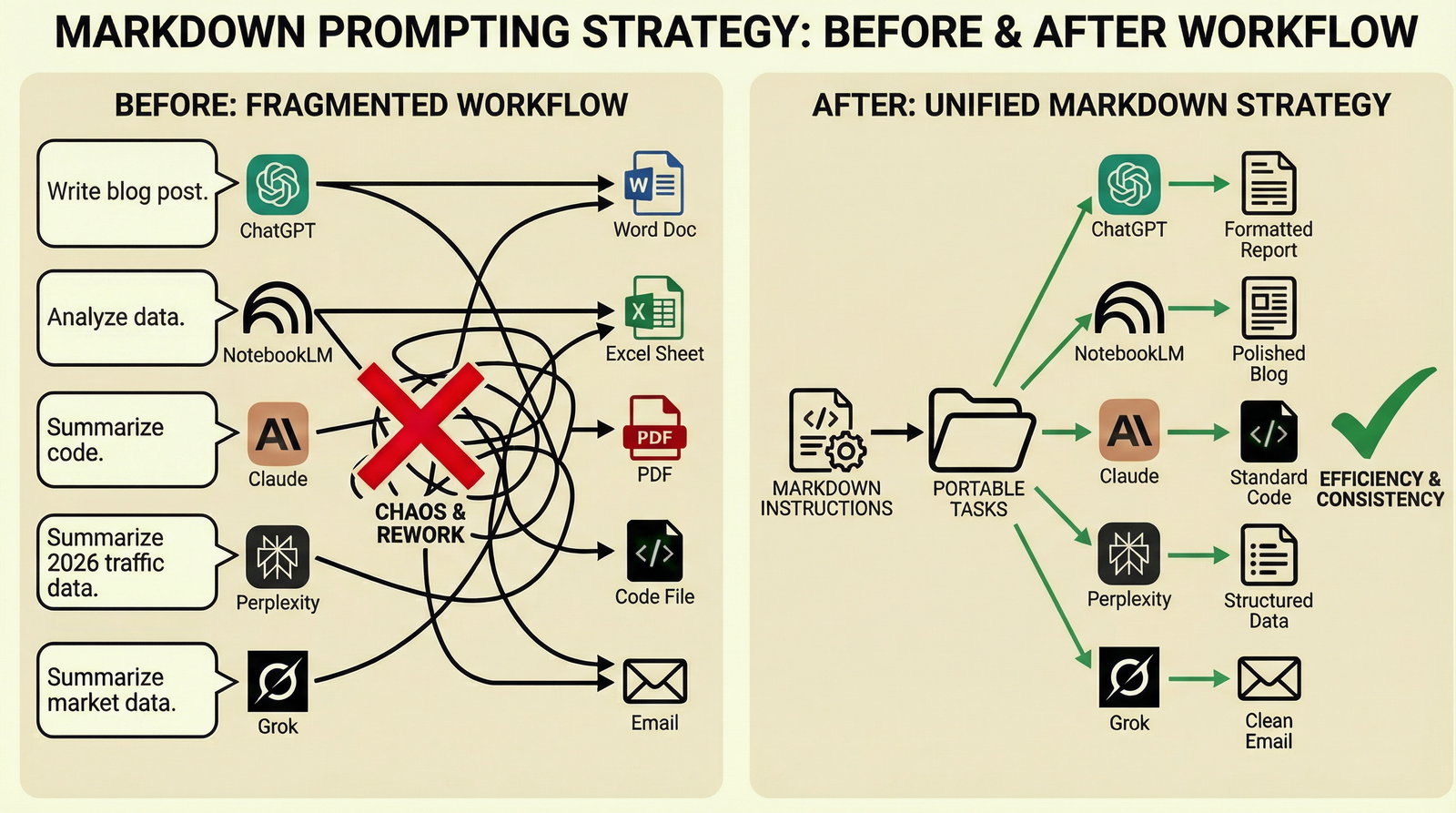
The Rundown In this guide you will learn how to take any task you’ve completed with AI and extract it into reusable markdown instructions. The instructions help you make any valuable task portable and repeatable across any AI tool. Who This Is Useful For Marketers creating high volumes of custom marketing materials Entrepreneurs using multiple AI tools for different tasks Anyone who wants to A/B test their prompting strategies What You Will Build What You Need to Get Started A Google account for NotebookLM An example task like creating email template variations Step 1 Create a new Notebook in NotebookLM and do your task as you normally would. For this guide we’re having it look at existing email copy in order to create custom email sequence variations. Upload context documents and talk the AI through creating your deliverables. Here are the important inputs to specify: Tone Target audience Word count or character count Name of your brand Product you are selling or value proposition of content you’re creating Specific copy rules like “don’t use em-dashes” Step 2 Now paste this prompt into NotebookLM Take the task we’ve just completed and extract the relevant context into a set of system instructions for AI in markdown format. The goal is to drop these instructions into any AI with different input variables and receive polished output with one prompt. Specify rules like number of variations to generate and any followup questions the AI should ask before starting the task. Step 3 Create a new project in NotebookLM and paste the markdown instructions in as text. For ChatGPT click New Project→three dots→Edit Instructions For Claude click Projects→New Project→Create Project→Set Project Instructions For Perplexity click Spaces→New Space→Add Instructions For Grok click Projects→Create Project Now you’ve turned hours of prompting and refining into a versatile project template. You can start a new chat with custom input variables to achieve the same, valuable outputs as your original chat. Going Further Make a database of tasks in a tool like Notion, Airtable or even a Google Drive Folder. Each time you complete one of those tasks, create a set of markdown instructions and save them to that database. Now you can easily handoff tasks to anyone on your team, regardless of which AI they use.
Tools

AI training for the future of work.
Get access to all our AI certificate courses, hundreds of real-world AI use cases, live expert-led workshops, an exclusive network of AI early adopters, and more.