The Rundown AI / Guides / General / How to One-Shot a Landing Page with Replit Design Mode
How to One-Shot a Landing Page with Replit Design Mode

How to One-Shot a Landing Page with Replit Design Mode

Try Text

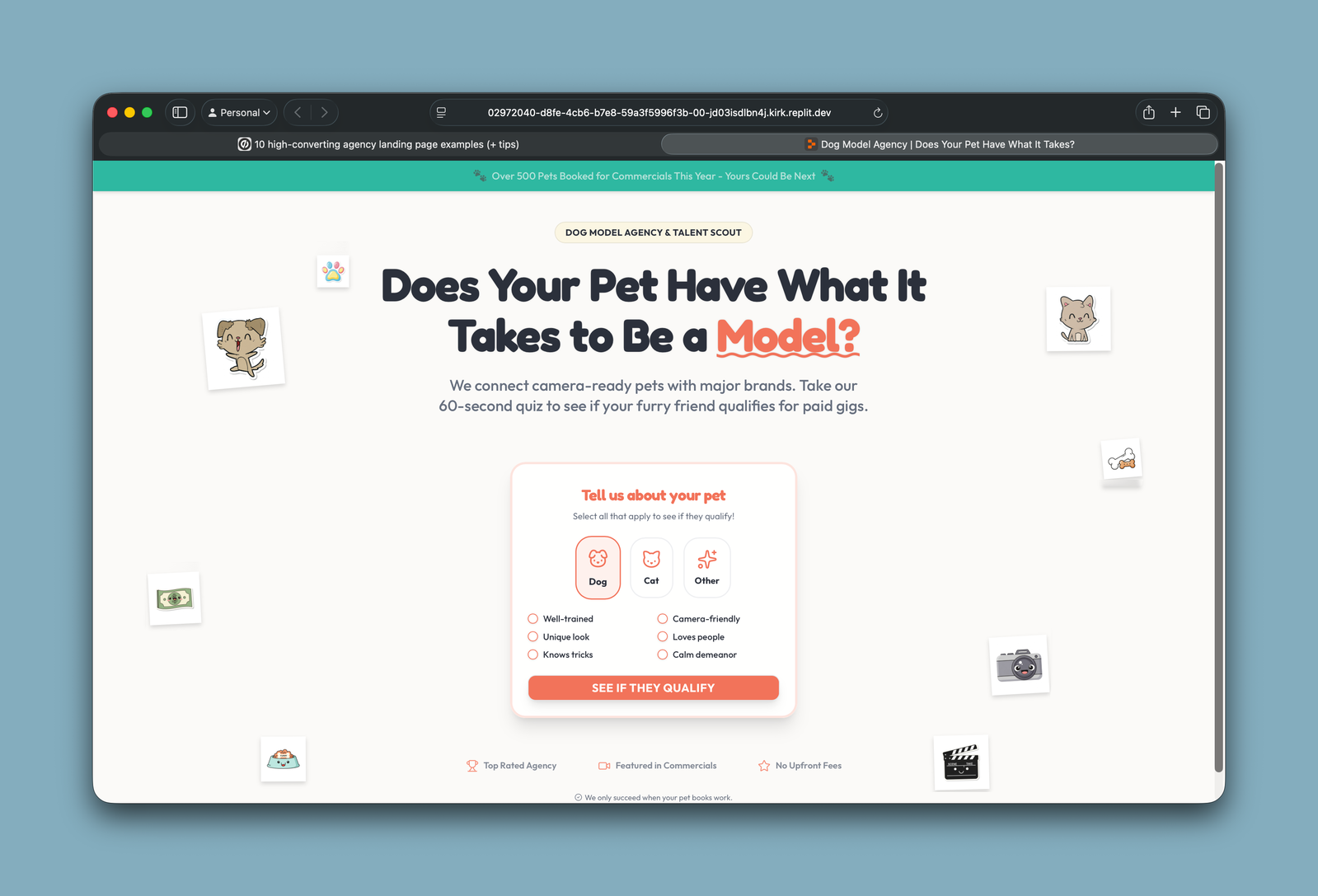
The Rundown If you’re stuck in a loop of generating generic AI-created sites, this guide is for you. You'll learn how to create a unique, high-converting landing page for your business in under 5 minutes using Replit's Design Mode. No coding required. Who is this useful for: People who are tired of generic AI designs Solo founders who need to launch fast Experimenters who want to test ideas with real landing pages Anyone who needs a beautiful landing page without touching code Step 0: Here’s what you will build Step 1: Build your prompt Open up an AI chat tool (I use Claude in the video) and paste in the following prompt formula: Use this formula to create a prompt for my company [company name] with [audience] and [offer]. The goal is to get the user to [conversion goal]. This is a single page site. [OFFER & CONVERSION GOAL] What you're offering: [lead magnet/product/service/event] Target action: [signup for emails/register for webinar/make purchase/schedule demo/etc.] What visitor gets: [specific benefit they receive for taking action] [BUSINESS & AUDIENCE] Build a single-page marketing site for [your business/product/offer]. Target audience: [who they are + specific pain point they're experiencing] [PAGE SECTIONS] Include these sections: Hero: [headline that speaks to pain point, clear CTA, supporting visual] [Value proposition/Problem-Solution] [Features/Benefits] [Social proof/Trust signals] [Final conversion section] [VISUAL STYLE & MOOD] Style: [modern/minimal/bold/playful/professional/luxury] Colors: [brand colors or color mood] Overall vibe: [how should it feel - urgent/calm/exciting/trustworthy] [CONVERSION ELEMENTS] Primary CTA: [exact button text + where it appears] Form fields needed: [name/email/phone/company/etc.] Trust signals: [testimonials/logos/guarantees/stats] The only part you need to edit is the initial paragraph with your business details. You can let AI fill in the rest of the formula given what you’ve told it. Hit enter to generate your initial prompt. You will refine it in step 2 with the help of some secret sauce. Step 2: The Secret Sauce If you skipped this step and just used the prompt from Step 1 you would get a generic landing page design like this: LLMs need specificity in order to be “creative”. Otherwise they will default to vague generic style instructions like: “Bold, modern, edgy”. The secret sauce: Open up Google or a design database like  Behance  or  Dribbble  and search “high converting landing pages” or “best agency landing pages. Then screenshot your favorite and drop it into Claude or another AI agent you are using. Include this message with the image: Rewrite the prompt to be in the style of the attached screenshot. Replit can generate images so i'd like it to generate some relevant clip art like on this landing page example. 💡 Pro Tip: You don’t have to include the part about clip art. But to get consistent, unique designs it’s good to instruct Replit to generate assets rather than just searching the web for images. Step 3: Put the Prompt in Replit Signup/signin to  Replit  and click on the design tab. Paste your prompt in there. Because of how long your prompt is it will attach as a text file. Type in: *Generate a single page landing page site based on the attached instructions. Generate assets as needed.* Hit the start button. 💡 Pro tip: You don’t need to upload your reference photo from step 2 into Replit. Let the prompt do the talking. In just a few moments Replit will cook up a custom landing page that you can further refine or publish. Going Further Wondering how to finish your landing page? Here’s where to focus: Update your social proof, testimonial and offer sections via Replit Agent Ask Replit agent to embed a popup form or lead capture from your CRM or form builder. You want to keep this page simple and lean. Buy a custom domain and deploy the site via Replit. 💡 Pro tip: You can deploy any Replit to an existing site’s subdomain. This can be handy if you’re your new landing page is only for leads from paid ads or another kind of outbound.

Save 15% on Thoughtly by joining The Runway University

Through our vast network of over 100 partnerships with major AI companies, we also offer University members free access or major discounts to the many popular AI tools along with AI certified courses, daily guides on AI tools and many more.

Tools

No items found.

AI training for the future of work.

Get access to all our AI certificate courses, hundreds of real-world AI use cases, live expert-led workshops, an exclusive network of AI early adopters, and more.

General

Coding