Build Your Own Design System For AI
Try Text
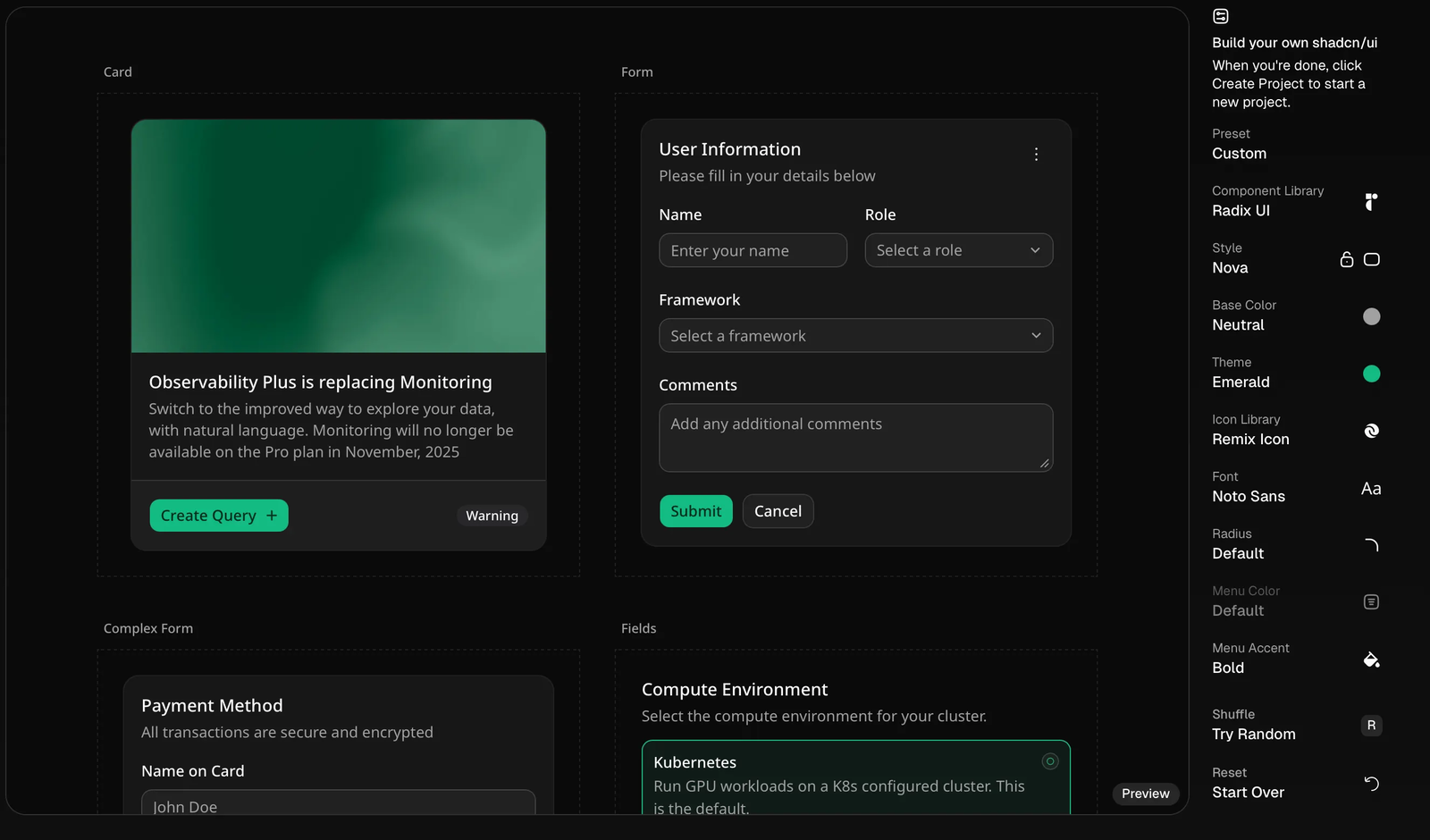
The Rundown In this guide you will learn to use an underrated design tool with Codex to build a simple portfolio website. This workflow will simplify your project setups so you won’t have to worry about design systems ever again. Who This Is Useful For Vibe Coders who struggle with design systems Non-designers who want better color palettes and components for their website Anyone who wants to build a simple portfolio site What You Will Build A completely custom design system with cards, buttons and every component you could need to build a site What You Need to Get Started Cursor Codex (or Claude Code) Context7 agent skill (optional but recommended) Step 1 Navigate to https://ui.shadcn.com/create . Use the drop-downs on the right to create your custom design system. Step 2 Click “Create Project” in the top right. And copy the command for the package manager + stack you use. If you’re not sure, we are going with Next.js + npm. You’ll get a unique command that looks like this: npx shadcn@latest create --preset "<https://ui.shadcn.com/init?base=radix&style=nova&baseColor=stone&theme=blue&iconLibrary=phosphor&font=inter&menuAccent=subtle&menuColor=default&radius=default&template=next>" --template next Before you run the command, save it in your notes. You will need the link from it later. Step 3 Open a new terminal session and run your command. It will ask you to name your app and then it will create a new directory and app scaffold with your custom design system and some starter components. Use cd [folder name] to navigate to the new directory. Now run npm install and npm run dev to run your new site locally. Step 4 Open a Codex or Claude session in your new directory. In the Claude.md or Agent.md instructions file you can paste in the design system instructions from earlier. To get them, click the link in the command shadCN gave you and copy them. Pro-tip: Browse the ShadCN components and blocks to find ones you like best. Step 5 Before you start coding, it is highly recommended to plan the website outside of your code editor. Go into Claude/ ChatGPT/Gemini and prompt it to "lay out the page in a PRD like in Markdown" based specifically on shadcn components Now you can prompt your AI agent with this: ”Create a simple portfolio website for a web developer named [your name] based on the attached PRD. Make the portfolio items easily editable with markdown files. Use ShadCN components and the design system outlined in the Agent.md” Here’s a logbook I built with my custom theme + a PRD I made with Claude. Look at the difference in quality you get from spending 5 minutes making a PRD vs. just telling it to build a generic portfolio site. Pro Tip: Use the markdown method and multiple choice method to go back and forth with the AI. Ask it specifically: "What Shadcn component should I use? Where should I put them?" . Going Further If you have the Context7 Skill installed you can put “Always use context7 to look for ShadCN components before building new UI” in your Agent.md . Try telling Codex to “Use charts from https://ui.shadcn.com/charts/area to track my portfolio progress”.
Tools

AI training for the future of work.
Get access to all our AI certificate courses, hundreds of real-world AI use cases, live expert-led workshops, an exclusive network of AI early adopters, and more.