Build a Custom Blog Writing Agent With No Code (Langflow)
Try Text
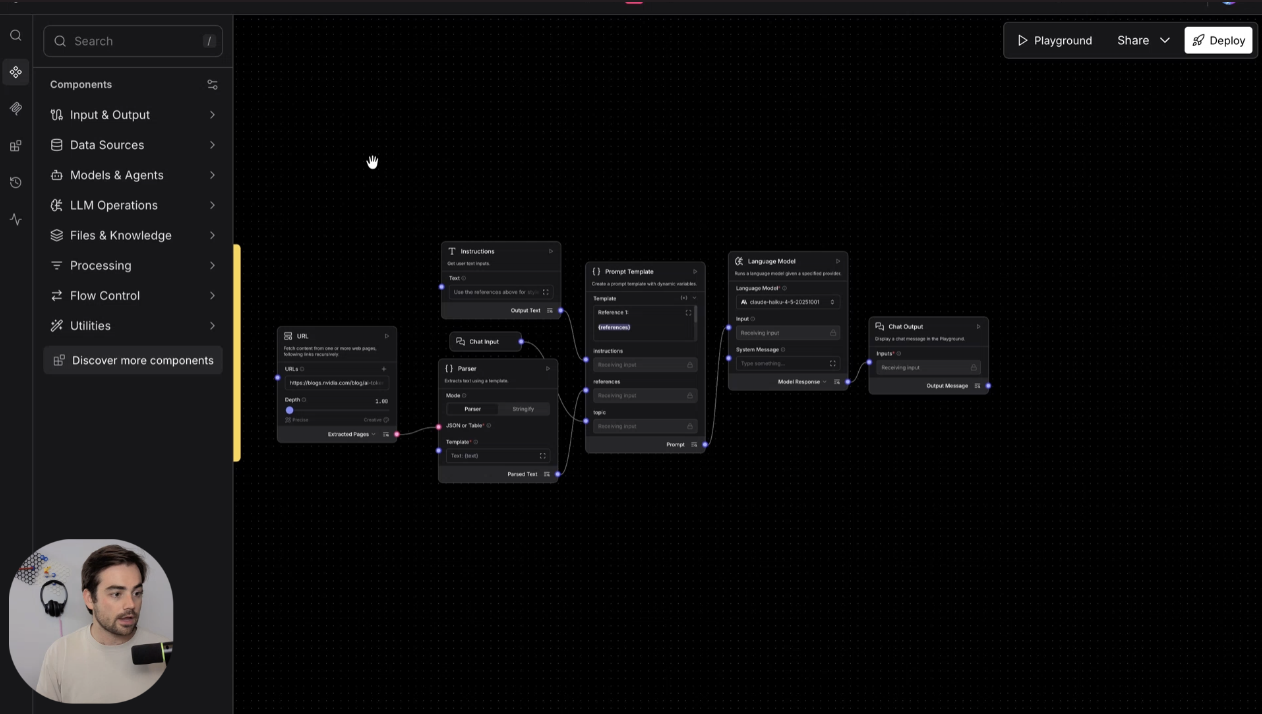
The Rundown In this guide, you will learn how to build a subagent in Langflow that writes blog posts in your website's style. The big win is that the agent runs locally for free (besides LLM calls) and can be triggered by Claude, Codex, etc. Who This Is Useful For Marketers and creators who write repeat blog posts and want the same structure every time Anyone using Claude or another coding agent across multiple projects who wants to stop wasting context on the same writing task People curious about AI agents who want a simple local tool to understand how subagents and MCP tools work What You Will Build You will build a simple blog-writing subagent that takes a topic, looks at one of your existing posts for style, and returns a new draft in that voice. The flow is straightforward: a URL input for the reference post a text input for the new topic a prompt template that combines the style reference and topic a language model node a chat output Once it works, you can export it as an MCP server so Claude can call it like a tool instead of making you rewrite the same prompt over and over. What You Need Langflow installed locally An OpenAI or Anthropic API key One strong blog post you want the agent to use as a style reference A test topic for the first draft Step 1 Open Langflow and Start From the Blog Writer Template Download Langflow and open it on your computer. It runs locally, which is the point. You can build a custom subagent without setting up a server or writing any code just to get started. When you open the project area, click New Flow , go into the content generation section, and choose the Blog Writer template. That gives you a useful starting point instead of a blank canvas. Pro tip: If you are just learning how these tools work, templates are the fastest way in. You do not need to understand every node before you can make something useful. Step 2 Add Your Style Reference and a Topic Input The first thing to change is the reference URL. Drop in one of your best blog posts so the flow has something real to imitate. The built-in crawler can also follow more than one page. If you want, point it at your blog index and increase the crawl depth to 2 so it pulls in a broader sample of your writing. Then add a text input called topic so you can tell the agent what to write about. That is the whole trick. The reference content shapes the style, and the topic input tells the model what to write next. Pro tip: Pick a reference post that already sounds how you want future posts to sound. If the source post is weak, the draft will be weak too. Step 3 Add Your Model Provider and Pick the Model Open the language model settings and click Manage model providers . Add your OpenAI or Anthropic API key, then pick the model you want to run. In our test, Anthropic was already connected, but Langflow also supports OpenAI and other providers. Use whatever model you trust for writing. Step 4 Test the Flow in Playground Once the reference URL and topic input are wired up, click Playground and test it with a topic. A simple test prompt like how to use AI for marketing is enough. Langflow will pull the reference content, feed the style and topic into the prompt, and return a first draft. This is where you tighten it. If the draft is too generic, add clearer instructions into the prompt template. One practical example from our run: tell it not to use em dashes if that matters to your voice. Pro tip: Add voice guardrails early. Short lines like No em dashes , keep it concise , or sound like our site usually do more than a big abstract style paragraph. Pro tip: If you want better output later, add more sources or drop files into a knowledge base. You can also batch multiple article runs once the basic flow is working. Going Further If you want Claude to use this as a subagent, open Share and choose MCP Server . From there, connect it to Claude. Once it loads, Claude can call the flow as a tool whenever you need a blog draft in that style. That is the bigger play. Use Langflow for the repetitive subagent, then let Claude save its context for the higher-level work.
Tools

AI training for the future of work.
Get access to all our AI certificate courses, hundreds of real-world AI use cases, live expert-led workshops, an exclusive network of AI early adopters, and more.