Design Better Websites With This New Cursor Feature
Try Text
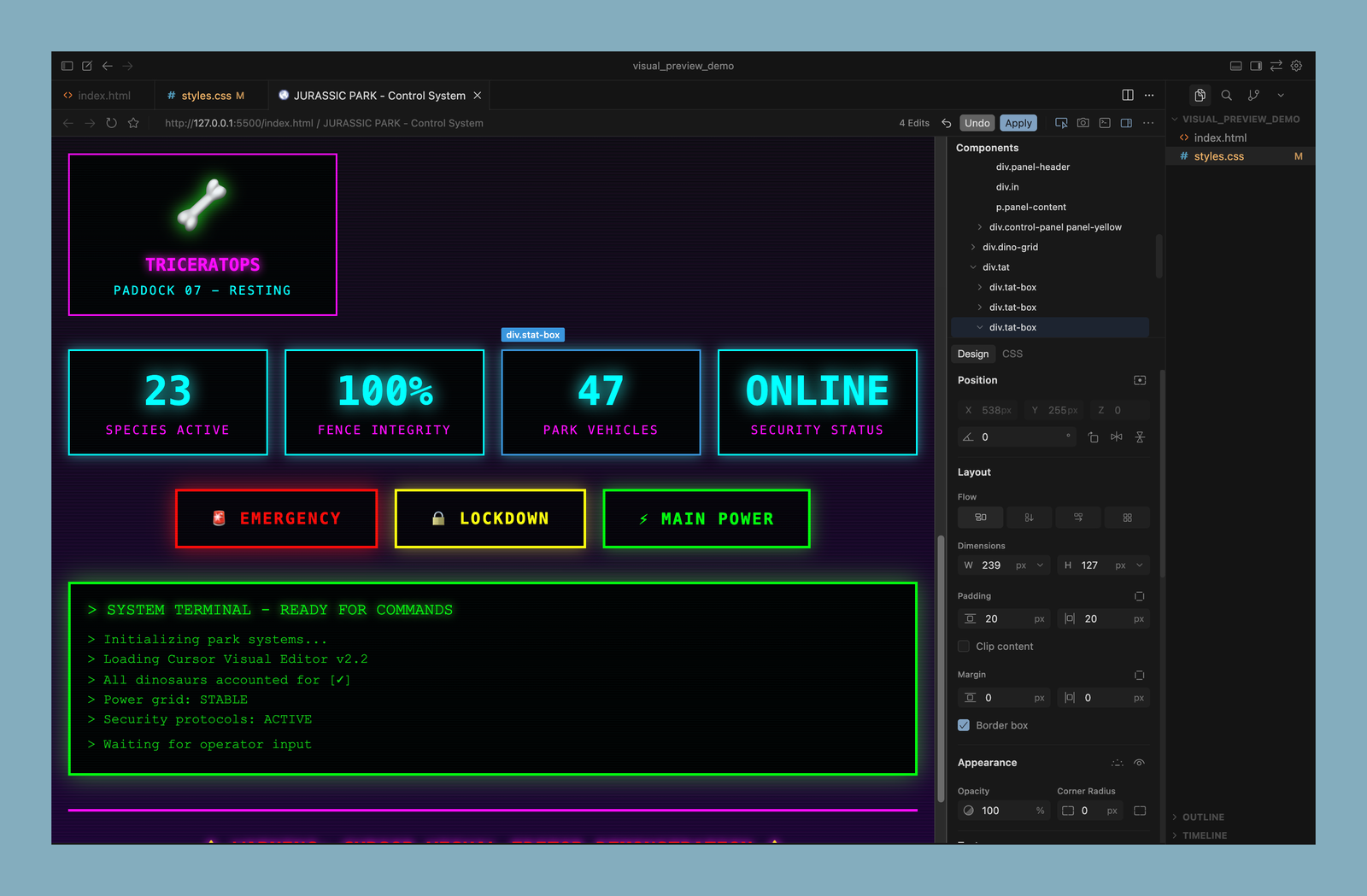
The Rundown In this guide you will learn how to quickly set up and use Cursor’s new visual design editor to refine your frontend design without having to switch back and forth with a design tool like Figma. Who This Is Useful For People tired of switching between design and coding software Cursor users Solo devs What You Will Build What You Need to Get Started: Cursor app A basic HTML + CSS project You can ask the Cursor agent to build you a simple index.html + styles.css website or use a template like this . We used Claude to scaffold our example. Live Server extension (settings→extensions→search “live server”) Step 1 Open a new project in Cursor with an HTML and a CSS file. Make sure you’re running the latest update. Step 2 Make sure you have the live server extension installed. Hit CMD+Shift+P and search for “Open with Live Server” Step 3 A live preview of your site should open in your default browser. Grab the URL and go back to Cursor. Hit CMD+Shift+B to open the Cursor browser. Paste in the URL and hit enter. Step 4 Make sure you’ve toggled on the element selector option. Now you can click any element on your site and edit its properties in the Design pane. You can also click on an element and it will be mentioned in the active agent chat. So if you don’t know how to make the changes you want in the Design pane, you can just tell the agent what you want. Step 5 Hit the Apply button and a Cursor agent will make the changes for you. You can click “Keep” or “Keep All” in the agent chat to save those changes. The agent is smart enough to understand classes. So if you have a style class like our dino cards and make style changes to one, the agent will update the class so the changes are made to the other divs as well. Pro Tip: Make sure you’re saving your progress with Git as you go. Git will make it easier to rollback any unwanted style changes. You can even ask the agent to write Git commits for you. Going Further: Use this prompt to extract your main colors and use them in the color picker dropdown: “Can you extract and put the color tokens from my page's theme in the root of @styles.css so that I can use them as color tokens?” You can read more about the design sidebar here .
Tools

AI training for the future of work.
Get access to all our AI certificate courses, hundreds of real-world AI use cases, live expert-led workshops, an exclusive network of AI early adopters, and more.
.png)